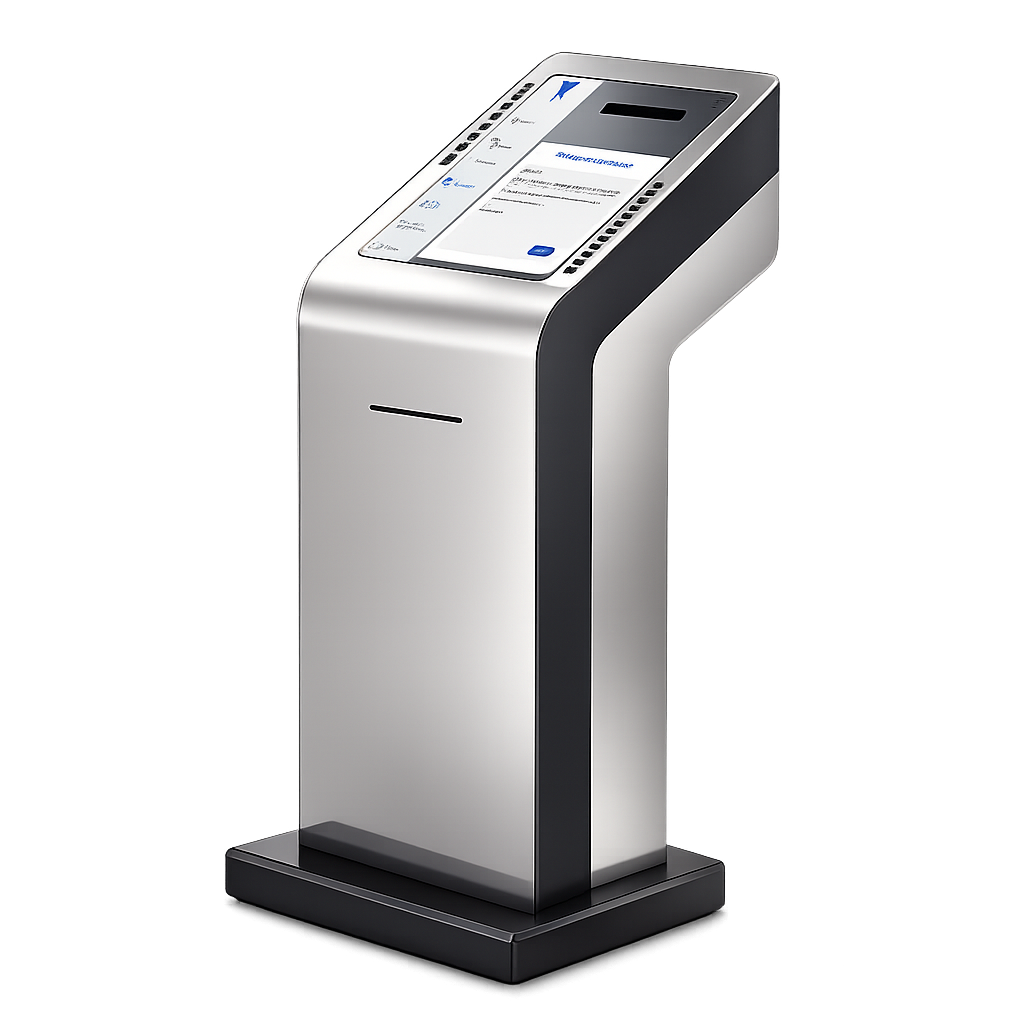
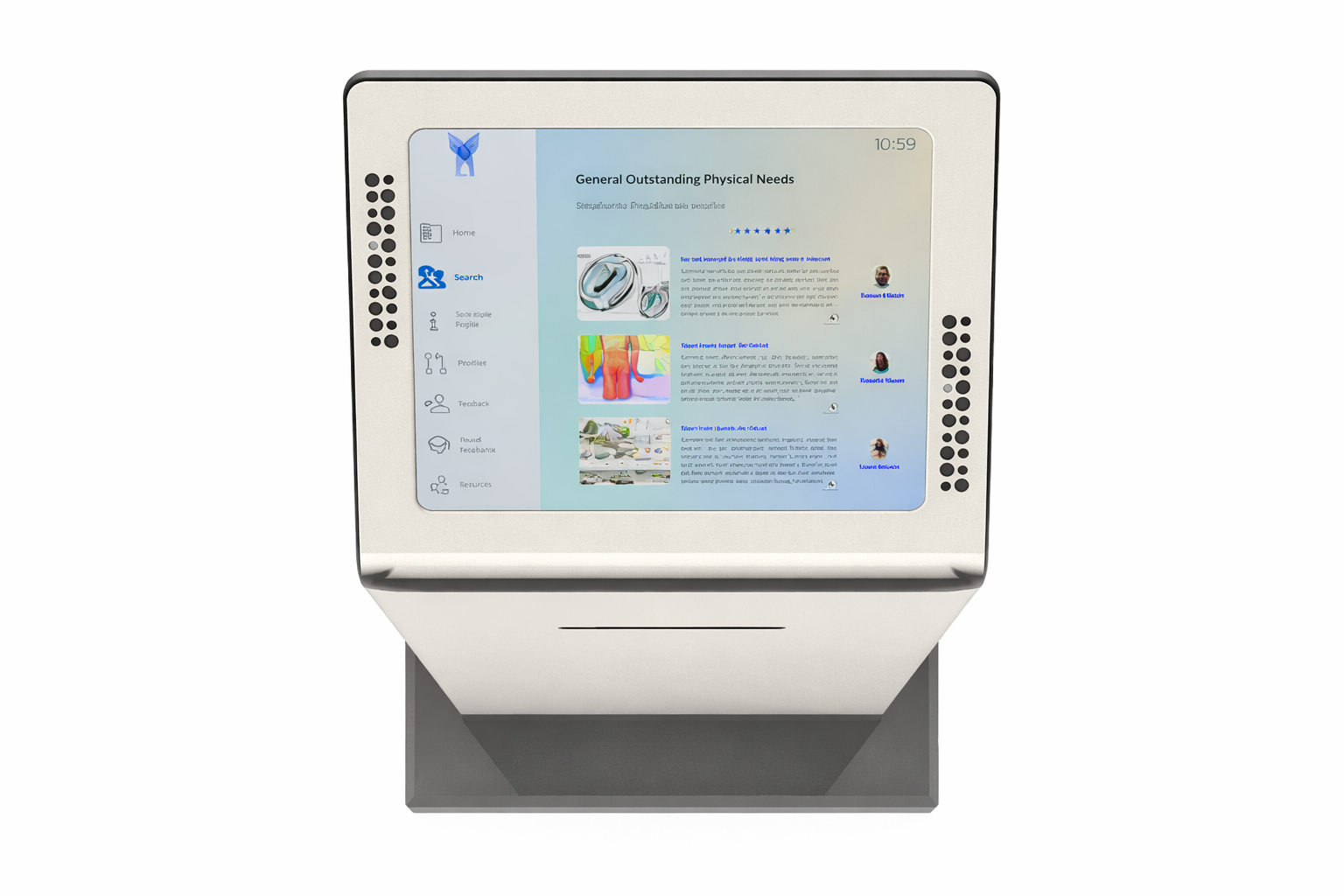
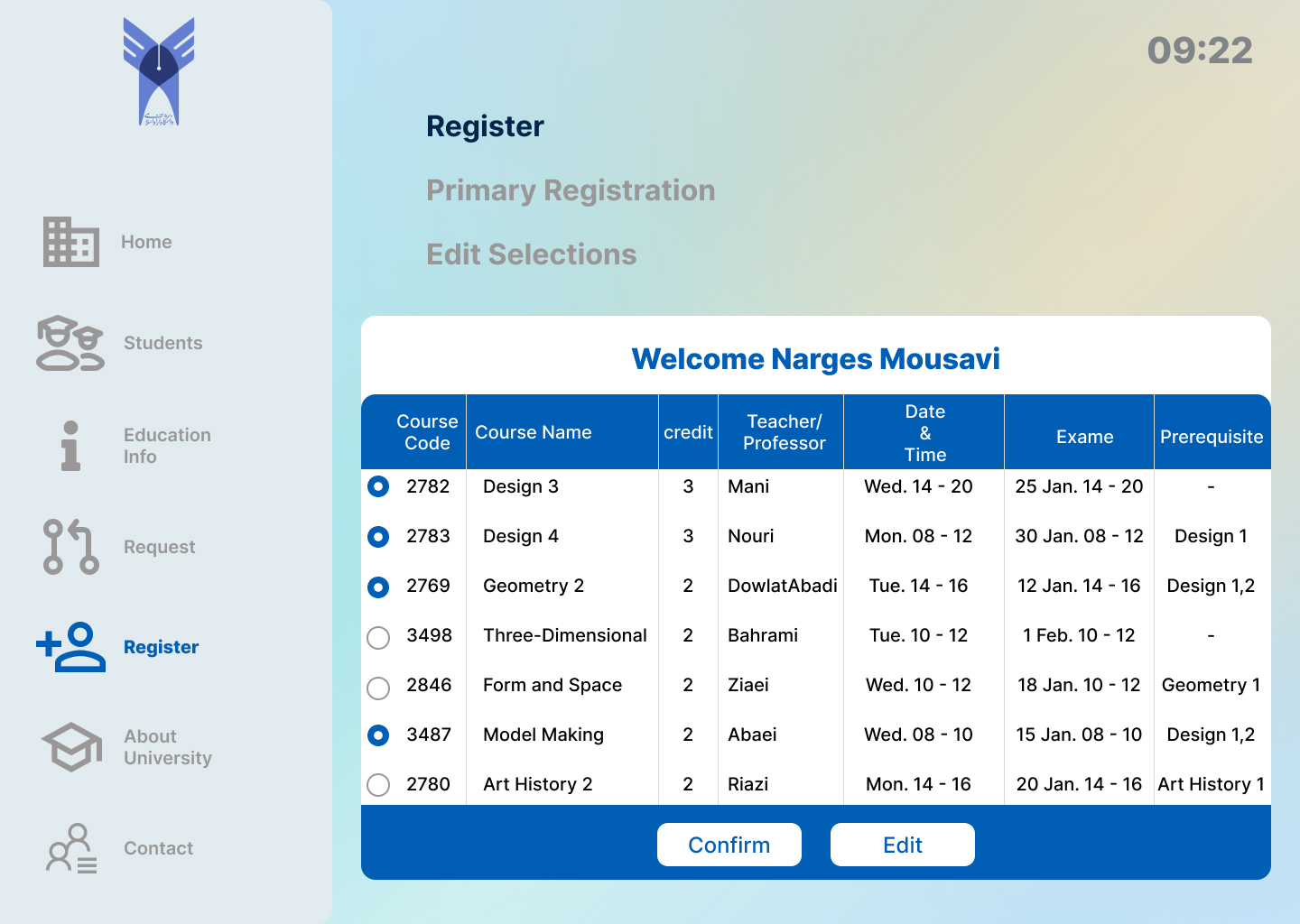
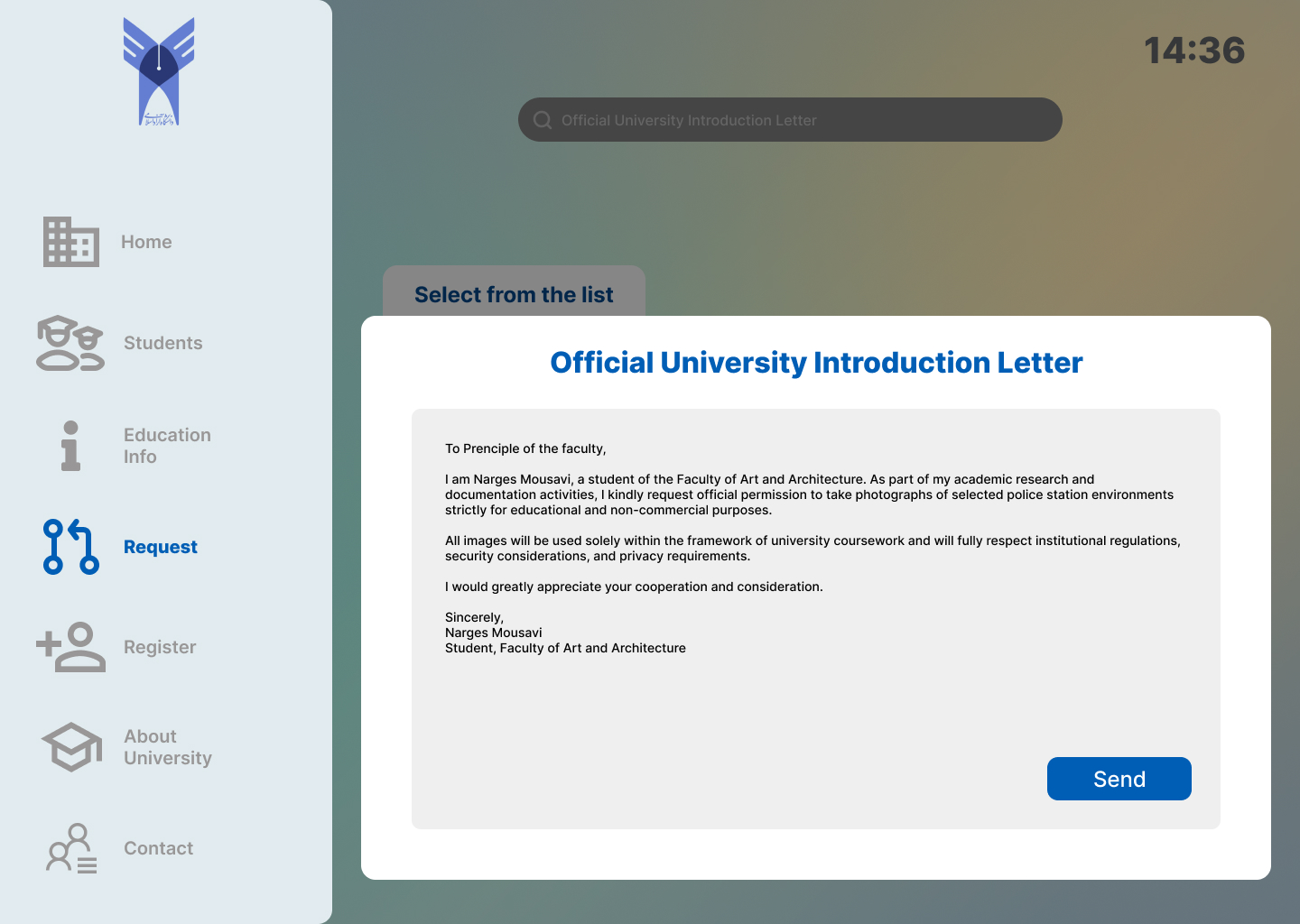
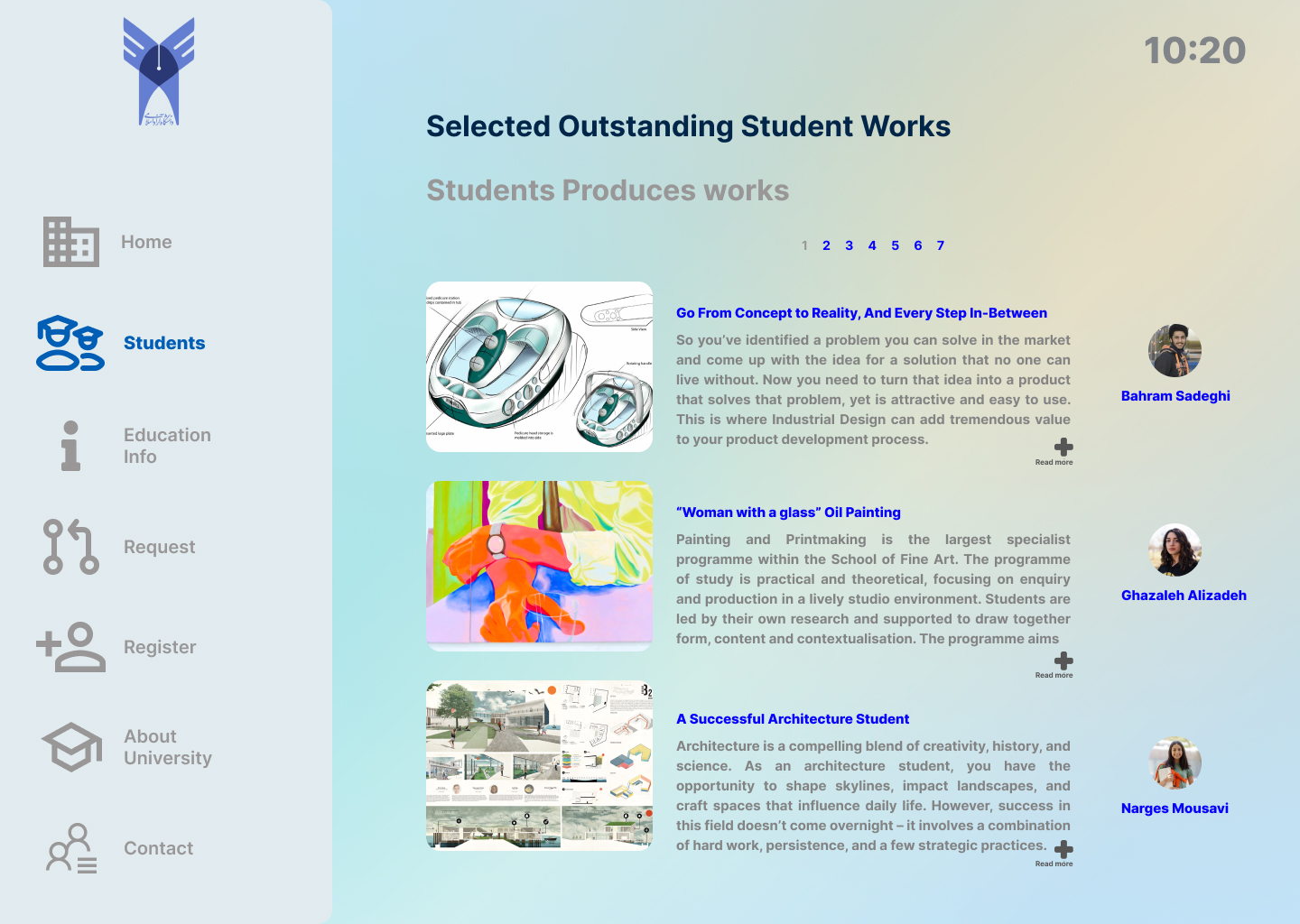
A self-service touchscreen kiosk for an academic institution, giving students access to course registration, official document requests, and academic news and student work, without a staffed counter.
The brief called for a self-service kiosk that could stand inside an academic institution and take on tasks that would otherwise need a staffed counter: registering for courses, requesting official documents such as an introduction letter, and browsing academic news, awards, and outstanding student work.
As a bachelor's final project, the scope covered both sides of the device, the physical kiosk that would stand in a public space, and the touchscreen interface that students would use directly.
A note on the era: this project was completed in 2006 to 2007. Industrial design already considered the user at that point, but in a different way than UI/UX design does today, closer to ergonomics and interface convention than to the research-driven methods used now. The interface shown here reflects that period, not current UI/UX practice.
A self-service kiosk combining a physical touchscreen enclosure with a menu-based interface for academic services.
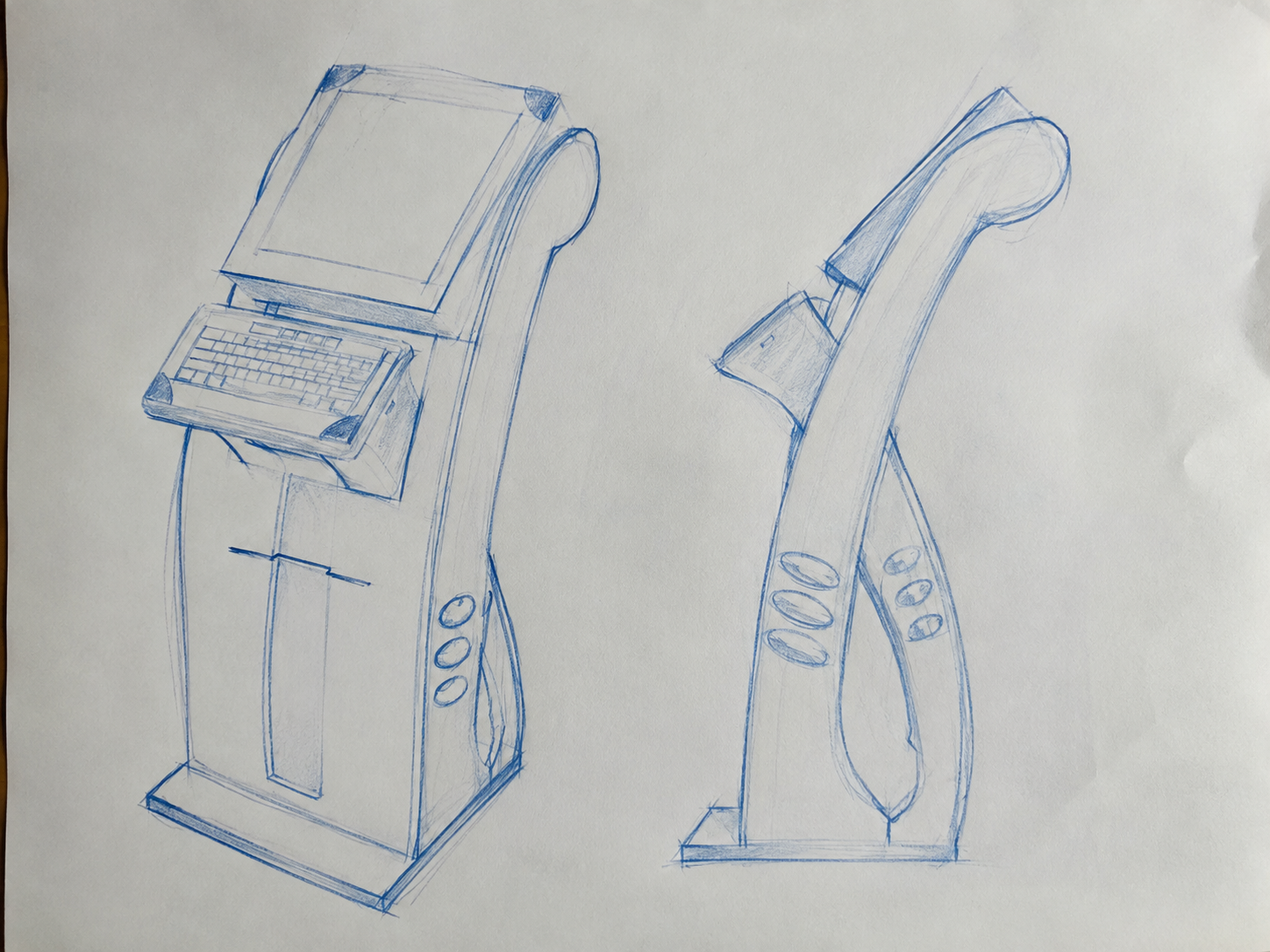
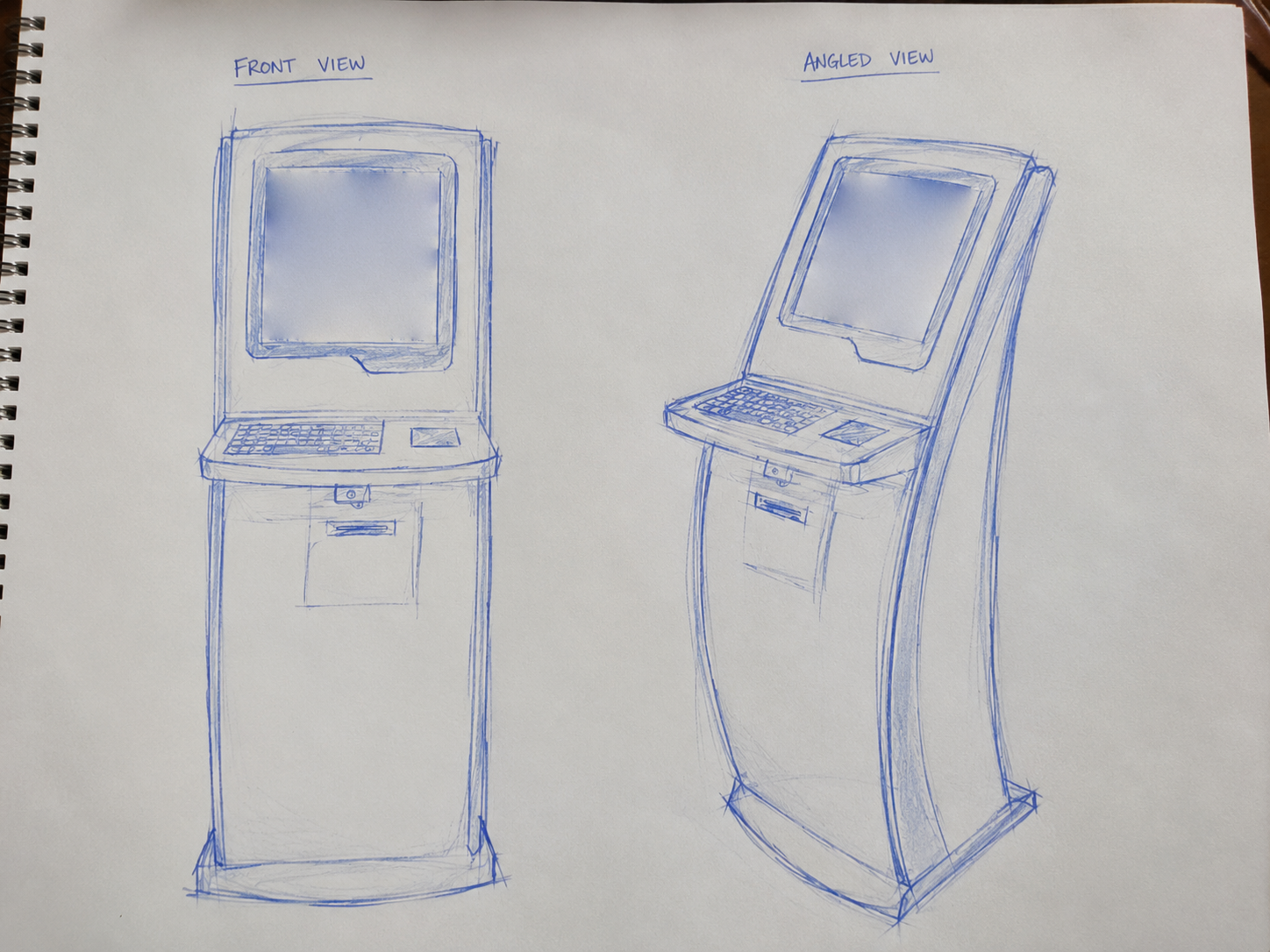
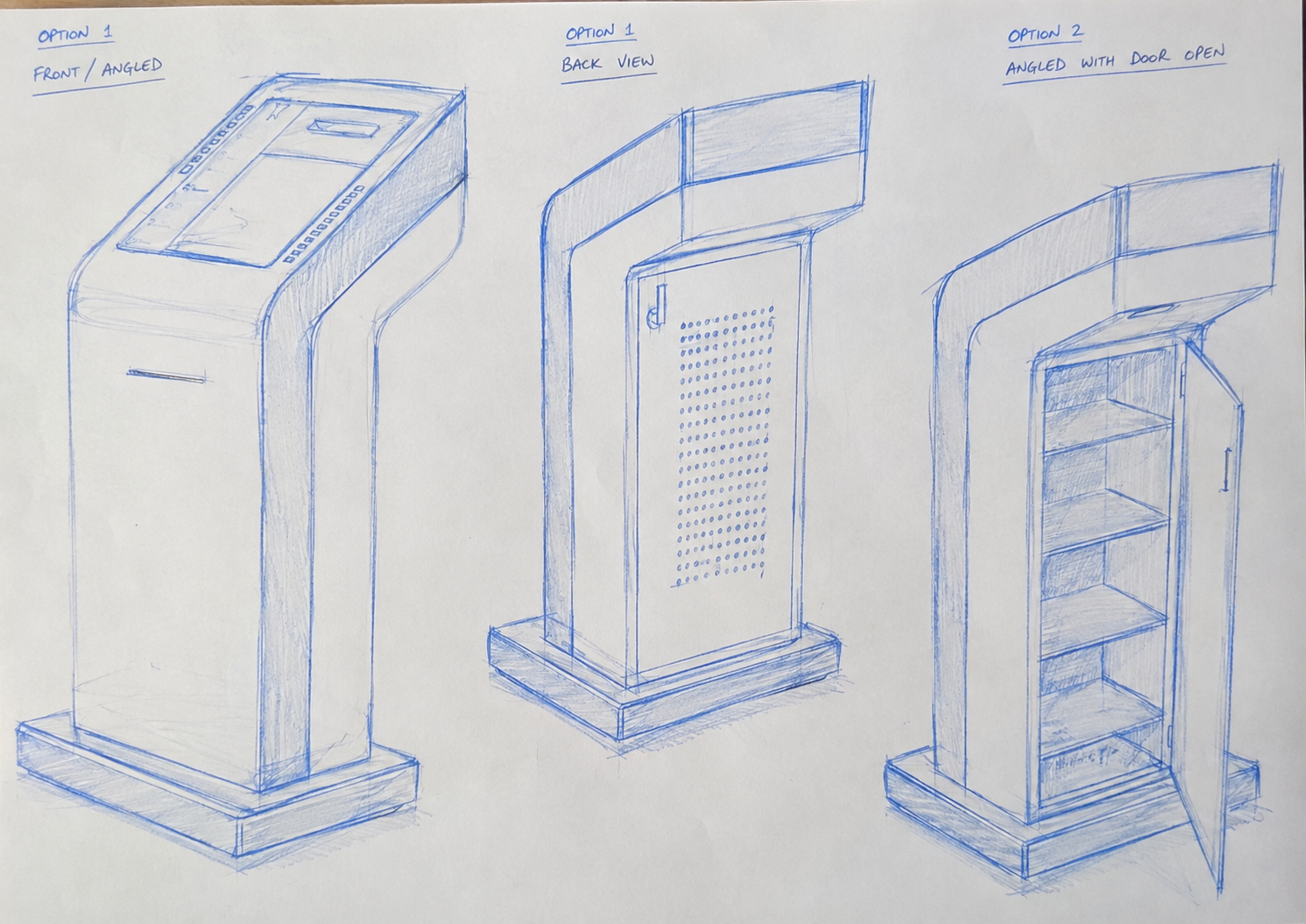
Before the concepts were scored, they existed as pencil and pen sketches, working through form, screen placement, and the internal service access that later carried through to the evaluation and final design.
Three concept designs were developed and evaluated against the kiosk model already in use, across ten factors: ergonomics, aesthetics, function, product durability, material, user-friendliness, security, attention to user limitations, attention to market limitations, and cost. Each concept was scored relative to the existing model, and the scores were totalled out of 20.
| Factor | Existing Kiosk | Concept 1 | Concept 2 | Concept 3, Selected |
|---|---|---|---|---|
| Ergonomics | Similar | Similar | Similar | Stronger |
| Aesthetics | Stronger | Weaker | Stronger | Stronger |
| Function | Weaker | Stronger | Weaker | Stronger |
| Product durability | Weaker | Weaker | Weaker | Weaker |
| Material | Stronger | Weaker | Weaker | Stronger |
| User-friendliness | Weaker | Stronger | Stronger | Stronger |
| Security | Stronger | Weaker | Weaker | Stronger |
| Attention to user limitations | Stronger | Stronger | Stronger | Stronger |
| Attention to market limitations | Stronger | Weaker | Weaker | Stronger |
| Cost | Weaker | Weaker | Stronger | Stronger |
| Total, out of 20 | 12 | 10 | 12 | 17 |
Rebuilt from the original evaluation matrix in the project documentation, comparing scores rather than reproducing the source table.
Concept 3 scored highest and was carried forward as the final design. Alongside it, one alternate concept considered was a straight-bodied pedestal with the screen mounted at the top, evaluated here against the angled chassis that was ultimately selected.
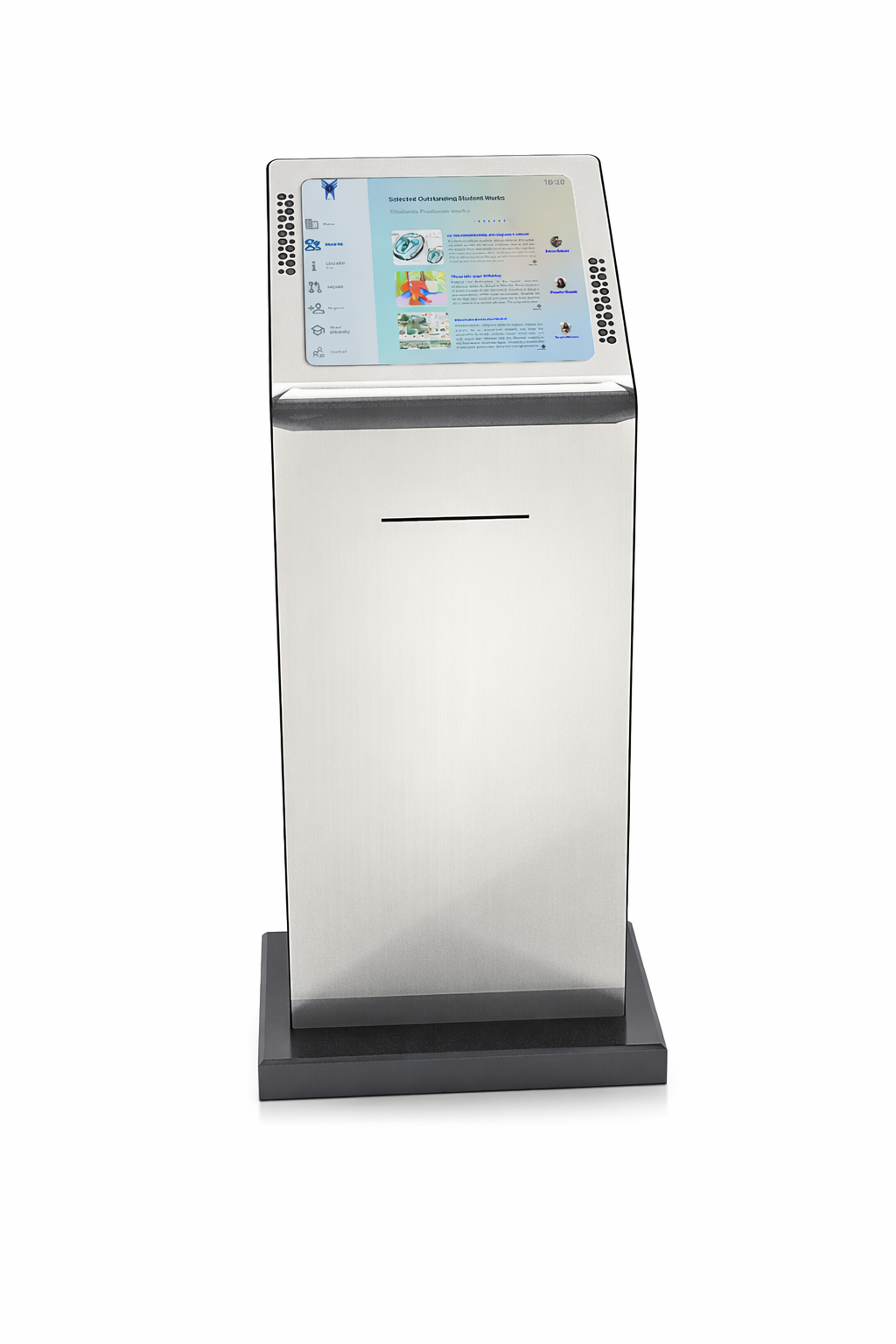
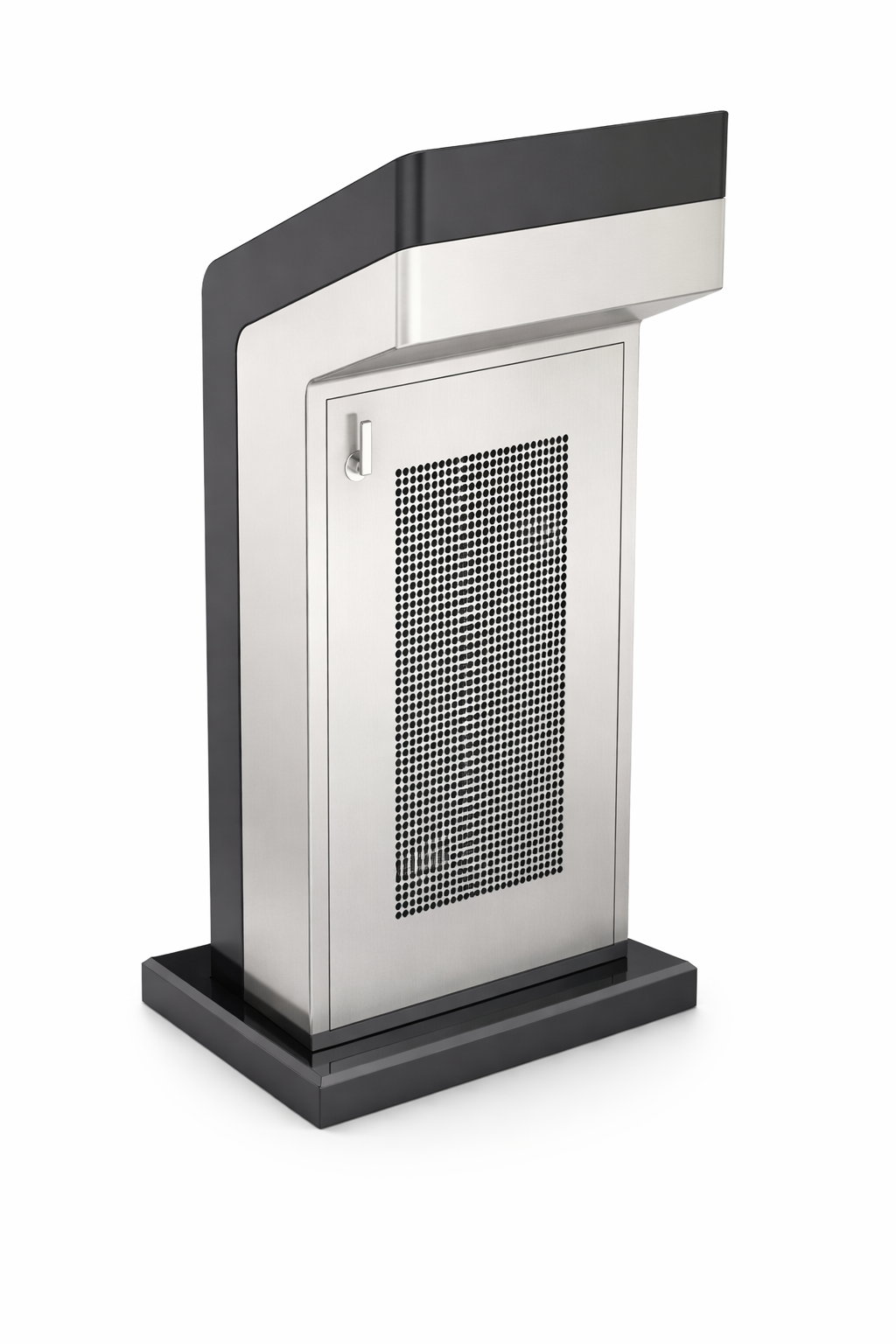
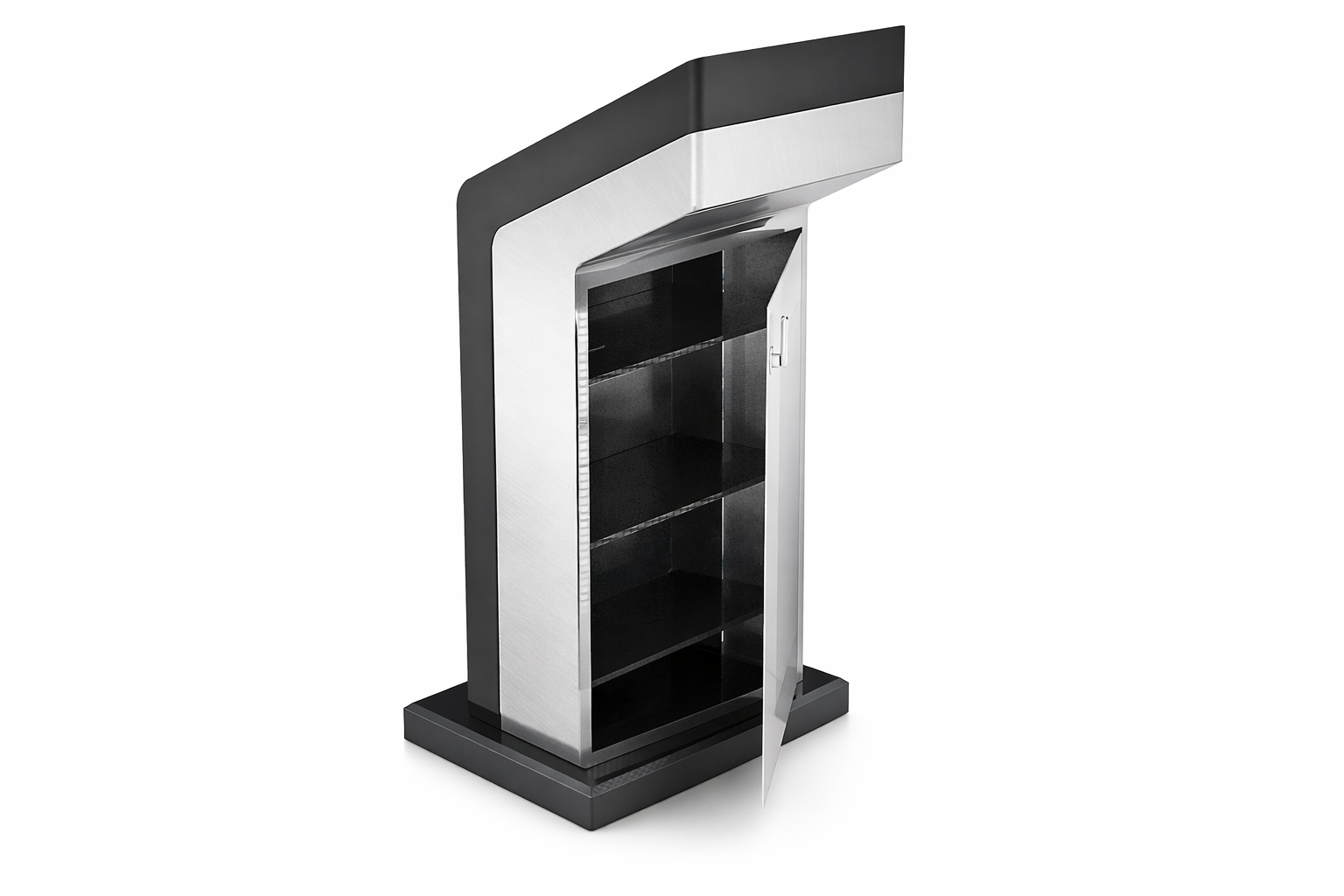
The selected chassis leans the touchscreen toward the user at working height, with a narrow output slot below the screen and a wider slot lower on the body. A hinged rear service door, secured with a lock and finished with a perforated ventilation panel, opens onto an internal bay for the kiosk's computing hardware.
The selected chassis carries a 17 inch vandal, water, and scratch resistant touchscreen panel behind a stainless steel and iron sheet cabin, finished in white. Inside sits the printer, card reader, and full computing core.
| Component | Specification |
|---|---|
| Monitor | 17 inch vandal, water, and scratch resistant touchscreen panel |
| Cabin | Stainless steel, iron sheet sides, finished in white |
| Speakers | Logitech stereo |
| Printer | Physical document output, for example letters generated through Request |
| Card reader | Card-based input |
| CPU | Intel Core 2 Duo (C2D) |
| RAM | 2GB DDR2 |
| Hard disk | 500GB |
| Ports | LAN, RS232, LPT, USB |
| Connectivity | Bluetooth |
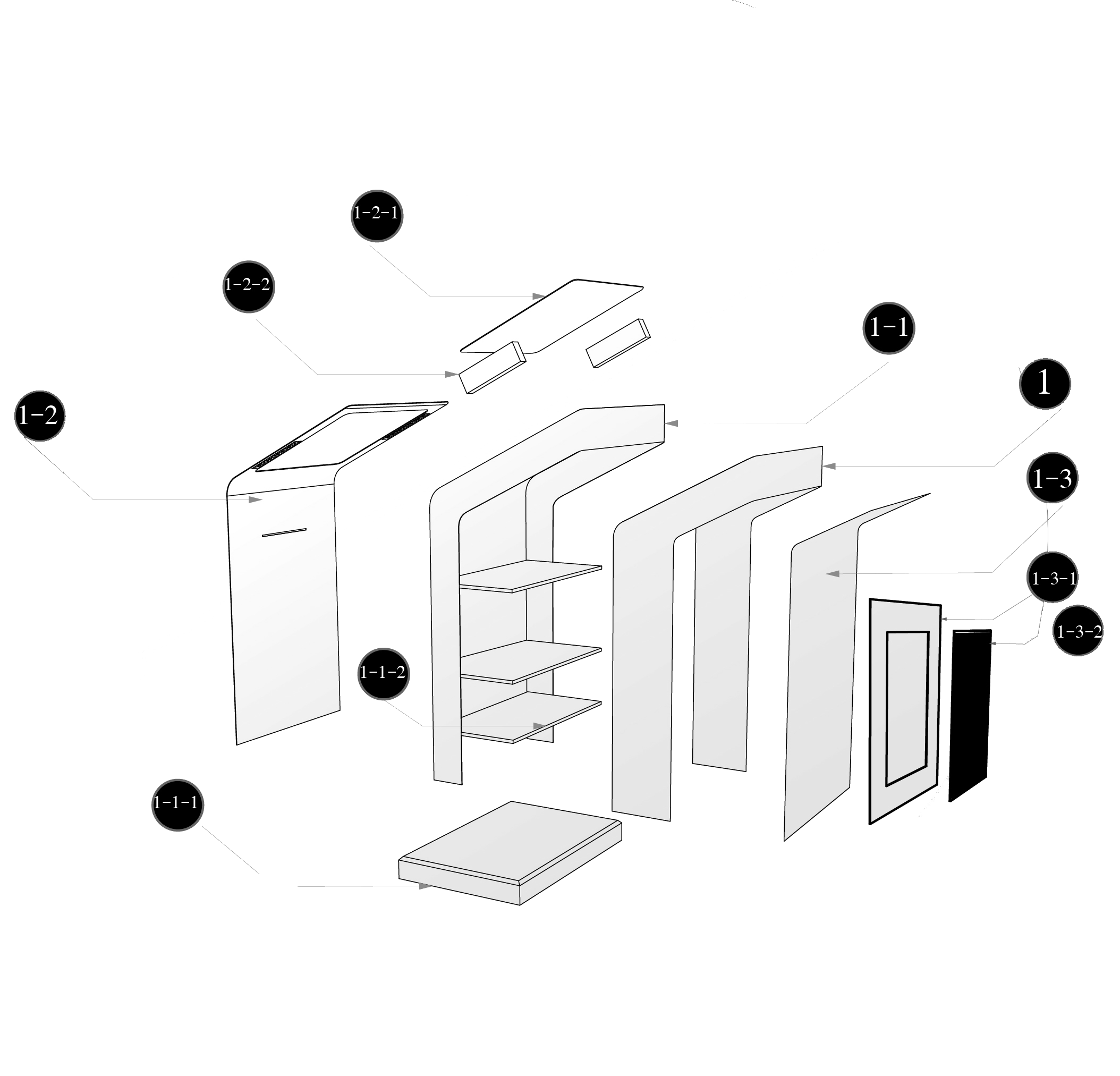
Inside the rear service bay, the printer, CPU, and shelving each have a designated place, labelled directly on the technical drawings as Printer Place, CPU Place, and Shelf.
| Row | Part name | Part code | No. | Description |
|---|---|---|---|---|
| 1 | Back holder | 1 | 1 | Steel, bending |
| 2 | Side holder | 1-1 | 1 | Iron, bending |
| 3 | Base box | 1-1-1 | 1 | Iron, bending |
| 4 | Shelf | 1-1-2 | 3 | Iron sheet |
| 5 | Front surface | 1-2 | 1 | Steel, bending |
| 6 | Monitor cover | 1-2-1 | 1 | Steel, bending |
| 7 | Back surface | 1-3 | 1 | Steel, bending |
| 8 | Frame | 1-3-1 | 1 | Steel, bending |
| 9 | Metal net | 1-3-1-1 | 1 | Steel, bending |
Students reach every service through a fixed left-hand menu: Home, Students, Education Info, Request, Register, About University, and Contact. Each section keeps the same two-column layout, a menu on the left and content on the right, so navigation stays visible while the content underneath it changes.
The Information Kiosk was designed independently as a bachelor's final project, covering the concept evaluation and selection process, the physical kiosk form and internal component layout, and the interface structure for the public-facing screens.